

Disturb Me
For the notifications even Do Not Disturb shouldn't make you miss.
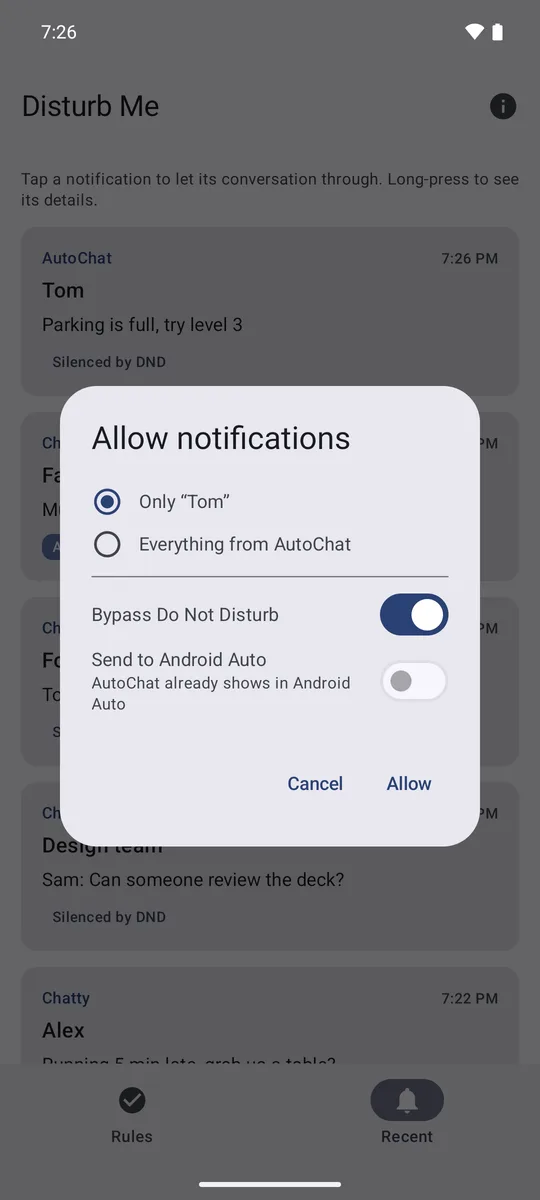
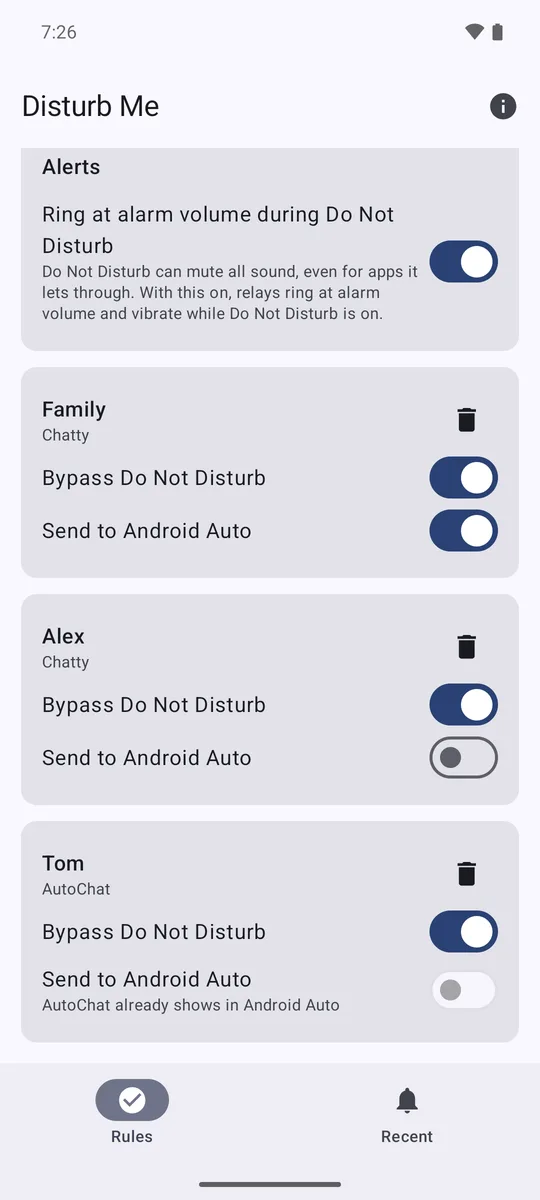
Android's Do Not Disturb lets through whole apps or nothing. Disturb Me lets through only the conversations you pick: your partner's WhatsApp chat or the family group, while everything else stays quiet.
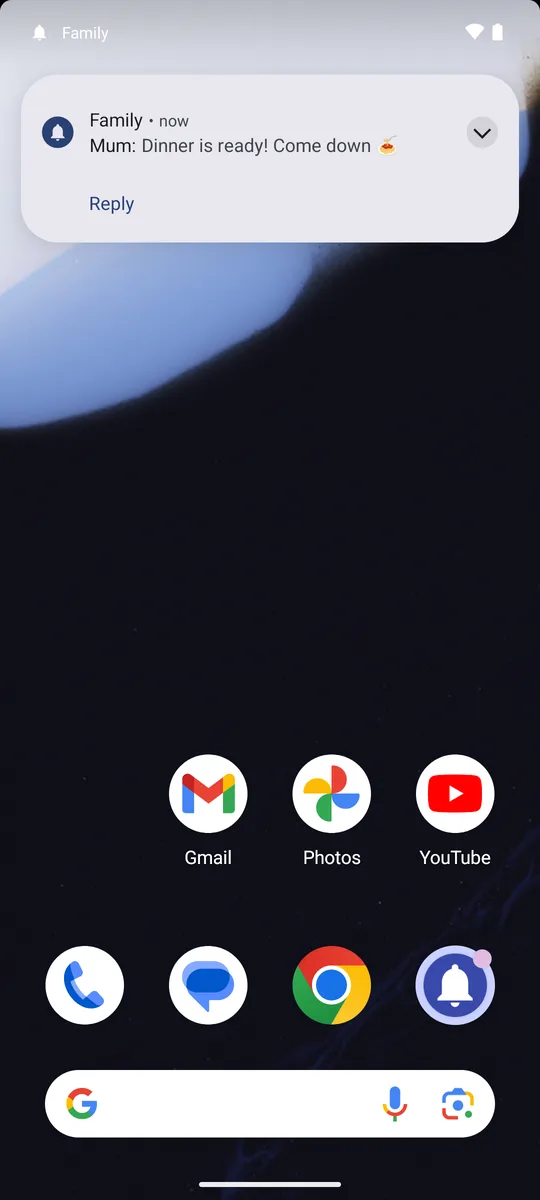
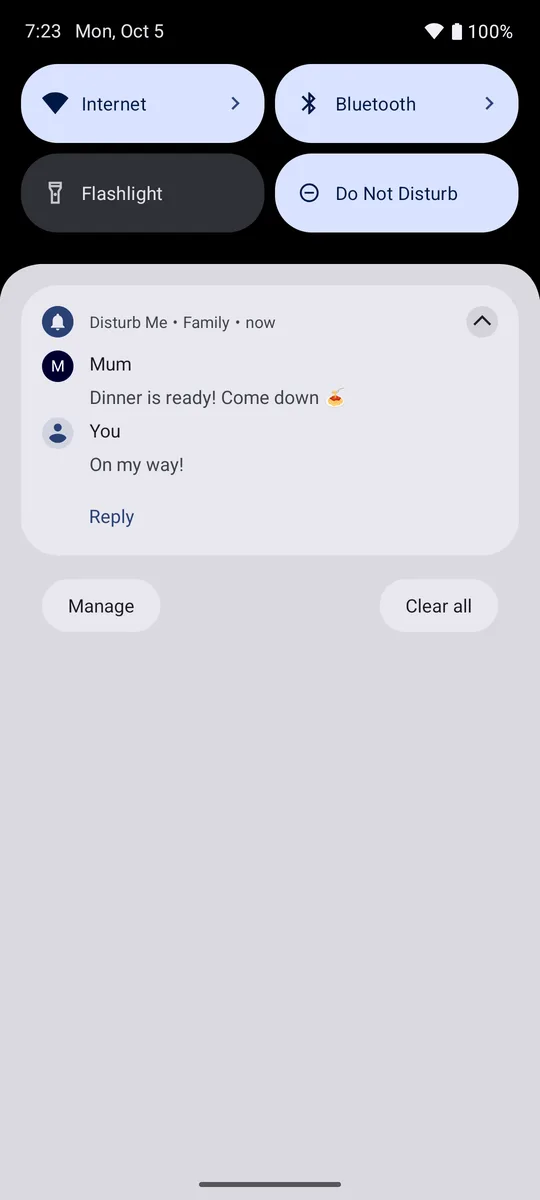
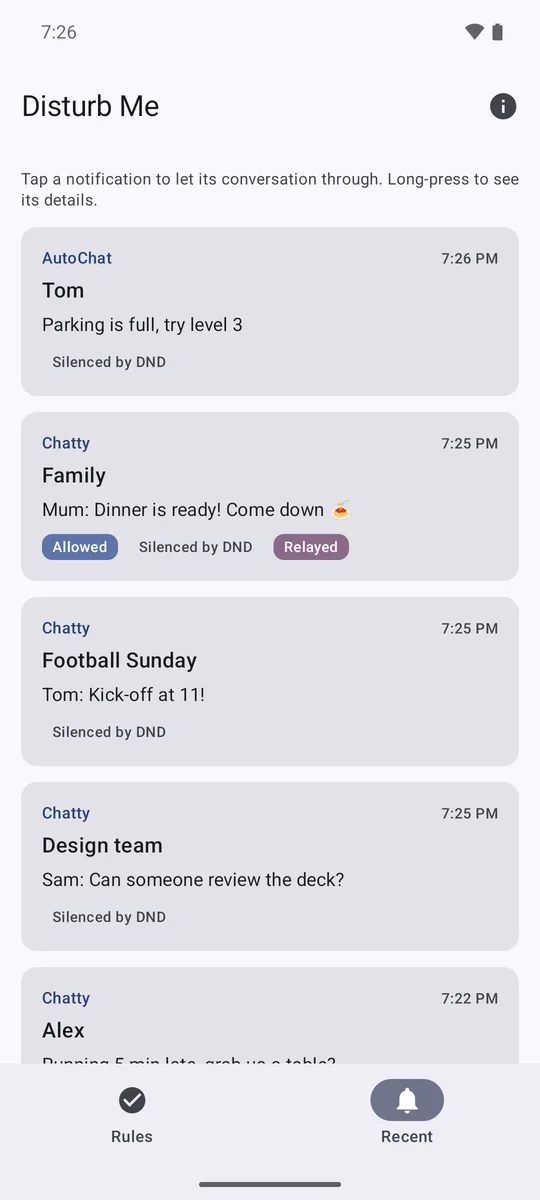
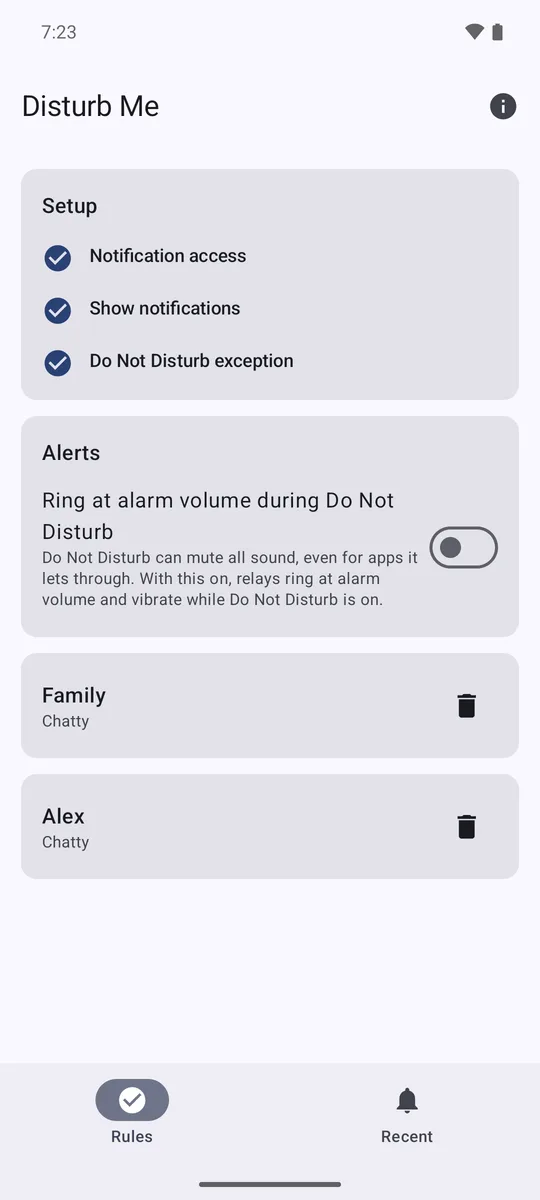
How it works
- Disturb Me sees the notifications that Do Not Disturb hides.
- When one matches a rule, it shows it again under its own name. You make Disturb Me a Do Not Disturb exception, so that copy gets through.
- You only get a copy when Do Not Disturb actually silenced the original, so there are no duplicates.
- Reply from the notification and your answer goes to the original app. Tap it to open the conversation there.
- Nothing is ever marked as read for you.
Free and Pro
Free: one Do Not Disturb rule, and Android Auto for two apps. Pro, a one-time purchase in the app, removes both limits.
Disturb Me for Android Auto
Android Auto only shows messages from apps that support it. Install this optional add-on and Disturb Me also reads out matching messages from apps that don't, like Instagram DMs, and lets you reply by voice. Apps that already support Auto (WhatsApp, Signal, Messages…) are left alone.
The add-on does nothing on its own. It needs the main Disturb Me app installed.
Setting it up
- Open the APK on your phone and allow installing from your browser when asked.
- Android Auto hides apps that weren't installed from Google Play. In the Android Auto settings, tap Version 10 times to turn on developer mode, then ⋮ → Developer settings and enable Unknown sources.
- Open Disturb Me. Android Auto options now appear in the app; choose which apps to relay.
Privacy
Everything happens on your phone. Disturb Me has no ads, analytics or tracking, and never sends notification contents anywhere. Read the full privacy policy.